
THE NEED TO REVISIT
Before attempting to continue too much further with the project I felt I had to revisit a few things. Most of the time whenever I return to my code I always see things either plain wrong with it or things that I wouldn’t do or accept anymore. I suppose it’s what happens when you are trying to learn a large subject and are developing as you go. Well I certainly decided there were a few things from the previous Chapter’s project that I didn’t like. The first was the use of pointers instead of pointers to pointers within the function that creates a class in the DLL file and hands its address back across the interface. I’ve updated this now to use pointer to pointer style. It did mean a lot of the code though had to be altered slightly to accept this. AFAIK however pointer to pointer is more of an industry standard for such things, thus I decided to change it.
The other thing I didn’t like was that if I remember correctly the DxException class just wasn’t being used at all, despite its presence in the code. The original DxExeption class used a throw statement, but the code wasn’t even running inside a try-catch block. So it would never, ever have triggered. I have implemented a try-catch block in my latest version of the project however I thought better of actually using it, as exception handling using a try-catch block requires some pretty robust coding techniques. As I understand it by jumping out of a try block to the catch block you can leave some resources in a bad state if you don’t know what you are doing. Not really feeling confident with this I changed the ThrowIfFailed macro to not use the throw statement. I did however still want the functionality that the DxException class provides. Here’s an early example of my attempt (which was successful) to make use of it:
#ifndef getFunctionName
#define getFunctionName(x)                                                  \
{                                                                           \
    if (x == E_FAIL)                                                        \
    {                                                                       \
        const int newSize = strlen(#x) + 1;                                 \
        WCHAR* functionName = new WCHAR[newSize];                           \
        MultiByteToWideChar(CP_UTF8, 0, #x, -1, functionName, newSize);     \
        MessageBoxW(NULL, functionName, L"Function Name", 0);               \
        delete functionName;                                                \
    }                                                                       \
}
#endif
Note that this is not the ThrowIfFailed macro but it’s loosely based on the same thing. When you put this macro infront of a function call like so:
getFunctionName(ReturnFail());

// and with a function definition as follows:

HRESULT ReturnFail()
{
    return E_FAIL;
}
it is able to acquire the function name of the function (the x parameter) by using the hash symbol placed in front of it (#x). We can then use the strlen() function to get the length of the string but note we must add a 1 to it as strlen() doesn’t include the null terminator in the string. For consistency’s sake we would like to keep the null terminator. I’ve never liked the idea of departures from any sort of standard without a good reason. We then make a new WCHAR array of the correct length, and then proceed to use the MultiByteToWideChar() function. I won’t discuss it’s use too much here, you can read a very clear explanation of it at the following link:
https://learn.microsoft.com/en-us/windows/win32/api/stringapiset/nf-stringapiset-multibytetowidechar
We need to specify a size in characters of the string (the newsize variable), and the destination (the functioname WCHAR array), and also in the 4th parameter we set it to -1 which Microsoft state will cause the entire string to be copied including the null terminator. We then display the new wide character string using a typical message box. Note the last line deletes the WCHAR array as it was created dynamically with the new operator.
And that will simply display the function name in a message box. You can read more about how the # symbol extracts a string at the following link:
https://gcc.gnu.org/onlinedocs/gcc-3.4.3/cpp/Stringification.html
So with that example provided now back to discussing the DxException class. In its present form it is as follows:
class DxException
{
public:
    DxException(HRESULT hr, const std::wstring& functionName, const std::wstring& filename, int lineNumber);
    ~DxException() {};

    std::wstring ToString();

    HRESULT ErrorCode = S_OK;
    std::wstring FunctionName;
    std::wstring Filename;
    int LineNumber = -1;
};
And the macro:
#ifndef ThrowIfFailed
#define ThrowIfFailed(x)                                                            \
{                                                                                   \
    HRESULT hr__ = (x);                                                             \
    std::wstring wfn = AnsiToWString(__FILE__);                                     \
    int lineNumber = (__LINE__);                                                    \
    if (FAILED(hr__)) { DxException(hr__, L#x, wfn, lineNumber); }                  \
}
#endif
Note the name is now somewhat mis-leading. It doesn’t actually throw anything anymore. It acquires all the data it needs and then makes a check to see if the condition has failed, and then creates an instance of the class if it has. It’s actually the constructor that displays the message box:
DxException::DxException(HRESULT hr, const std::wstring& functionName, const std::wstring& filename, int lineNumber) :
    ErrorCode(hr),
    FunctionName(functionName),
    Filename(filename),
    LineNumber(lineNumber)
{
    MessageBox(nullptr, ToString().c_str(), L"HR Failed", MB_ICONINFORMATION);
}
And for clarity’s sake here is the class member function ToString(), and also the standalone function AnsiToWString():
// defined in .cpp file
std::wstring DxException::ToString()
{
    // Get the string description of the error code
    _com_error err(ErrorCode);
    std::wstring msg = err.ErrorMessage();

    return FunctionName + L" failed in " + Filename + L"; line " + std::to_wstring(LineNumber) + L"; error: " + msg;
}

// defined in .h file
inline std::wstring AnsiToWString(const std::string& str)
{
    WCHAR buffer[512];
    MultiByteToWideChar(CP_ACP, 0, str.c_str(), -1, buffer, 512);
    return std::wstring(buffer);
}
So the macro acquires the data needed, then creates an instance of the DxException class whose constructor then builds a message box containing all the data arranged in a wide character string. Note the last part of the string built with the ToString() function uses a _com_error class to acquire the specific failure message for that function.
Thus we now have a means of checking the function calls to the COM objects through the COM interfaces to see specific error messages should any of the functions fail. If you wish (as I did) you can change the last condition in the ThrowIfFailed macro from:
if (FAILED(hr__)) { DxException(hr__, L#x, wfn, lineNumber); } \
to:
if (TRUE) { DxException(hr__, L#x, wfn, lineNumber); } \
Which will display the name and data associated with every DirectX function call the project makes whether it fails or not.

This is the string we made in the ToString() function called in the class constructor after the macro had acquired the data. Note the very last part which is the specific information retrieved from the _com_error class. Because the macro has been set to always run it will run also on functions calls that were successful, as this one was. Thus the last part of the string that goes to the message box simply says “The operation completed successfully”.
It’s worth noting that there is actually a definition in the header file for one of the functions:
// defined in .h file
inline std::wstring AnsiToWString(const std::string& str)
{
    WCHAR buffer[512];
    MultiByteToWideChar(CP_ACP, 0, str.c_str(), -1, buffer, 512);
    return std::wstring(buffer);
}
If the keyword ‘inline’ wasn’t there this would cause a compilation error if this header file is used more than once in the project. In particular it would be the linker that showed an error. Reason being is that there’d be multiple definitions of the function in the project that would not be unique – due to the header file being used more than once. The linker won’t accept this, but it will accept it if you declare the function as inline. I don’t recommend over-doing this, just sometimes if it’s a small function that will run many times, or if you have a small function you’d like to put it in convenient place in a header file for clarity, you can do that. An inline function definition appears to resolve to one single memory address. Even if it’s used in a header file that’s referenced multiple times.
That concludes the part about making use of the DxException class. It’s not quite being used as the original author Frank Luna intended, but it’s good enough for us.
A CHANGE IN STYLE
Another thing I intend to change in the blog is the style of delivery. One of the reasons I recommended the text books I did in earlier chapters is because I think they’re very good. Even brilliant. Thus what I do not want this blog to be, is anything that explains too much of what is contained within those text books. Certainly not to the point of blatant reproduction of them. I don’t obviously want legal issues, nor do I wish to attempt any sort of replacement for those text books. They’re very good books, and you should buy them. Preferably from new if you can afford it. For reminder’s sake the book we reference the most at this time is Frank Luna’s book 3D Game Programming with DirectX 12. I’ve already provided links, and even without them, you can easily find this book for sale online somewhere. I’ll mention some things Frank discusses in his book but it will be brief and where I can, I’ll post links to Microsoft Learn for details on what specific functions do. You can then research them yourself.
ALTERING THE WAY THE RENDERING CLASS IS CREATED
I can’t remember if I discussed much about the Component Object Model (COM) in previous chapters. I imagine I probably did. Well I’ve improved muchly my learning of it since then and I’m in a better position to discuss what it is and what it does. I recommend you do the same, starting with this link below and work your way down Module 2:
https://learn.microsoft.com/en-us/windows/win32/learnwin32/what-is-a-com-interface-
Rather heavy going but it does explain well what it is. If you’d like even more detail go here:
https://learn.microsoft.com/en-us/windows/win32/com/the-component-object-model
Note that we don’t use too much of that stuff in our project. It’s pretty advanced. Also one very important point to note which Microsoft make clear somewhere in the above links (I can’t remember where) is that we will only be consumers of COM. We definitely will not be creating any new COM objects or interfaces for COM objects. Also we will only use specific functions to create a COM object and retrieve an interface for them. Strictly speaking you might be able to make one from scratch without the use of the DirectX specific functions and still have our project run ok. I certainly won’t be trying it though. The following topic on C Board gives a short but quite handy description of this concept:
This discussion of COM leads to some rather important issues with bugs. Namely one specific bug which took me forever to figure out, and is relevant to this header section where we are ultimately discussing changing the way the rendering class is made:
It’s not exactly light reading, and I had to pretty much answer my own question. The way I did it originally made two roads into the class that the computer felt were legitimate. The smart pointers inside the class however were aware of only one. So they deleted the COM object before the second route into the class attempted to call Release() on the COM objects through their COM interface. This caused an error on shutdown.
What happens now is there is no globally declared class in the DLL file. There is only a pointer to one declared as nullptr to begin with:
D3DRenderer* pgD3DRenderer = nullptr;
And then the function the DLL exports which provides a pointer to the rendering class through our interface looks like this:
D3DInterface** CreateRenderDevice()
{
    OutputDebugStringW(L"CreateRenderDevice function called inside DLL \n\n");
    pgD3DRenderer = new D3DRenderer;
    return reinterpret_cast<D3DInterface**>(&pgD3DRenderer);
}
So it prints a little message to the debugger, and then makes a new class on the heap. If you don’t know what a heap is you have some reading to do:
https://www.geeksforgeeks.org/what-is-a-memory-heap/
Notice some of the things mentioned in the Disadvantages section. Particularly time issues. Given our entire rendering class now currently lives in the heap I may change this method in the future. It does work (which is good enough for us for now) but I don’t really want something that may need to be as fast as a rendering class suffering from slow execution times. What it does mean for us for now though, is this program works, and without any issues on shutdown. There is one legitimate road into the class and the COM objects behind the COM interfaces inside the class increment and decrement their reference counters correctly. They are not left lingering after shutdown, nor are they being asked to release themselves when they already no longer exist.
For reminder sakes here’s a (shortened) class definition which shows the COM interface pointers inside it:
class D3DRenderer : public D3DInterface
{
public:

    D3DRenderer();
    ~D3DRenderer();

    Microsoft::WRL::ComPtr<IDXGIFactory4>		mdxgiFactory;
    Microsoft::WRL::ComPtr<ID3D12Device>		md3dDevice;
    Microsoft::WRL::ComPtr<ID3D12CommandQueue>		mCommandQueue;
    Microsoft::WRL::ComPtr<ID3D12CommandAllocator>	mDirectCmdListAlloc;
    Microsoft::WRL::ComPtr<ID3D12GraphicsCommandList>	mCommandList;

....class continues
There are others but those are some of the major ones and also some of the ones that gave me trouble.
One last thing to note is that the way the class functions are called inside the DLL, most notably in the window message handling function and the dialog message handling function. For God alone knows what reason, my first approach (which you can see in the previous chapter) was to export a pointer to our child class, cast as a pointer to our parent class, out of the DLL through our interface (good so far) and then attach this pointer to our window ‘s user data area, then pass this pointer back into the DLL and downcast it back to its child class to then use as the means to call all the class functions our dialog box message handler needed.
That’s just silly.
There’s a perfectly good globally declared pointer to the class already sitting in the DLL. Why on earth not just use that? A good lesson I suspect in how easily we can get carried away with ourselves if we get too lost in code and lose sight of the bigger picture. Coding is I imagine notorious for causing this sort of tunnel vision in a mere mortal. The only reason to pass the child class pointer out of the DLL (cast to its parent pointer) is to access the specific functions declared in the abstract interface class. Its (updated) version shown again here for clarity with some parts omitted:
#if defined( BUILD_DLL )
#define IMPORT_EXPORT __declspec(dllexport)
#else
#define IMPORT_EXPORT __declspec(dllimport)
#endif

class IMPORT_EXPORT D3DInterface
{
public:

    // Return the address of the window message handling function in the derived class
    virtual WNDPROC GetWndProcAddress() = 0;

    // Direct X specific functions
    virtual bool    InitDirectX() = 0;
    virtual void    Draw() = 0;
};
Those three functions shown ( Draw() is a new one I’ll discuss in the next chapter) are the only things we need a pointer for in the main application. Any functions inside the DLL which require access to the rendering class, can just use the pointer to the rendering class that’s already inside the DLL. There is no need whatsoever to pass the exported pointer back into the DLL to do stuff with. It involves more code than required, is a tricky process which invites bugs, and is generally just plain crazy. There may be a use for it somewhere in the future but it would need to be a good reason.
So where in the previous chapter inside the message handling functions for the window and dialog box you may have seen something like this:
// Window message handler
LRESULT CALLBACK D3DRenderer::WndProc(HWND hWnd, UINT message, WPARAM wParam, LPARAM lParam)
{
    static HINSTANCE hInstance;
    static D3DRenderer* pD3DRenderer;

    switch (message)
    {
	case WM_CREATE:
	{
	    CREATESTRUCT* pCreate = reinterpret_cast<CREATESTRUCT*>(lParam);
	    pD3DRenderer = reinterpret_cast<D3DRenderer*>(pCreate->lpCreateParams);
	    SetWindowLongPtr(hWnd, GWLP_USERDATA, (LONG_PTR)pD3DRenderer);

.... rest omitted

// Dialog Box message handler
LRESULT CALLBACK D3DRenderer::ChooseRender(HWND hDlg, UINT message,
                                           WPARAM wParam, LPARAM lParam)
{
    LONG_PTR ptr = GetWindowLongPtr(GetParent(hDlg), GWLP_USERDATA);
    static D3DRenderer* pD3DRenderer = reinterpret_cast<D3DRenderer*>(ptr);

switch (message)
{
    case WM_INITDIALOG:
    {
        pD3DRenderer->SetAdapterBufferField(text, hDlg); // fills out text fields for adapter
	pD3DRenderer->LogResolution(); // fills class vector with display data

.... etc,etc
Now you mostly wouldn’t see any of that. All you would see is stuff inside the Dialog Box message handler using the globally declared pointer in the DLL to perform actions to retrieve graphics data and set the relevant fields in the dialog box. For example:
// Globally declared pointer
D3DRenderer* pgD3DRenderer;

.... sometime later

// Message handler for dialog box.
LRESULT CALLBACK D3DRenderer::ChooseRender(HWND hDlg, UINT message,
                                           WPARAM wParam, LPARAM lParam)
{
.... some stuff omitted

    switch (message)
    {
	case WM_INITDIALOG:
	{
	    pgD3DRenderer->SetAdapterBufferField(text, hDlg);
	    pgD3DRenderer->LogResolution();
So there’s no unnecessary retrieval of the pointer to the rendering class we exported out of the DLL in the first place. It also means we can remove the casting operation from at least one place. The use of reinterpret_cast<> can be problematic and is best to avoid it if you can.
CONCLUSION
So to finish this chaper, we discussed changing from pointers, to pointers to pointers for exporting the rendering class address out of the DLL, re-made the DxException class and associated macro so it now shows useful information (without the risks of using a try-catch block), discussed a change in writing style, and finally some substantial changes to the way the rendering class is made in the DLL and how functions such as message handlers access the rendering class (no more excessive movement/ interpretation of pointers).
And that concludes this chapter. I have however gone ahead of this already and actually got DirectX 12 to run, using my own project (the one we’re using in this blog). I experienced quite a surprise during that endeavour, but that’s not for now. I’ll mention it in the next chapter. As usual with work and study commitments, I have no idea when that will be published.
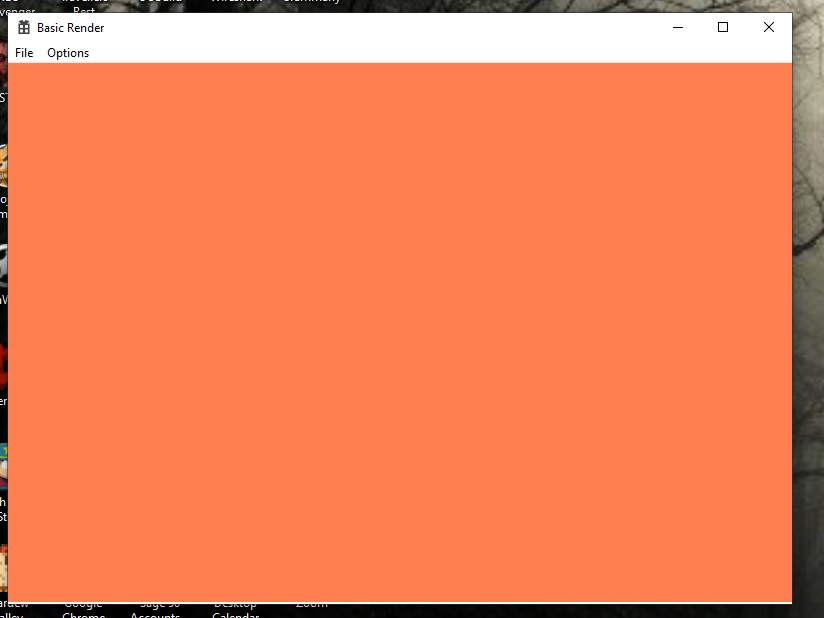
Here’s a little demonstration of DirectX actually running, albeit doing virtually nothing except showing a blank colour to the screen. Bear in mind that this utilises most of the entire project we’ve covered already and a good deal more code besides (covered in next chapter). The only thing that it isn’t using, is the dialog box we made in the last chapter. For now I’ve set the values to basic values of 800 and 600 just to get it started. To cut a log story short, yes it really does take that much code and understanding just to turn it on:
And that really is it for now. Take care 🙂
 LINK ERROR